
- Open your listing and choose Plan & Billing.
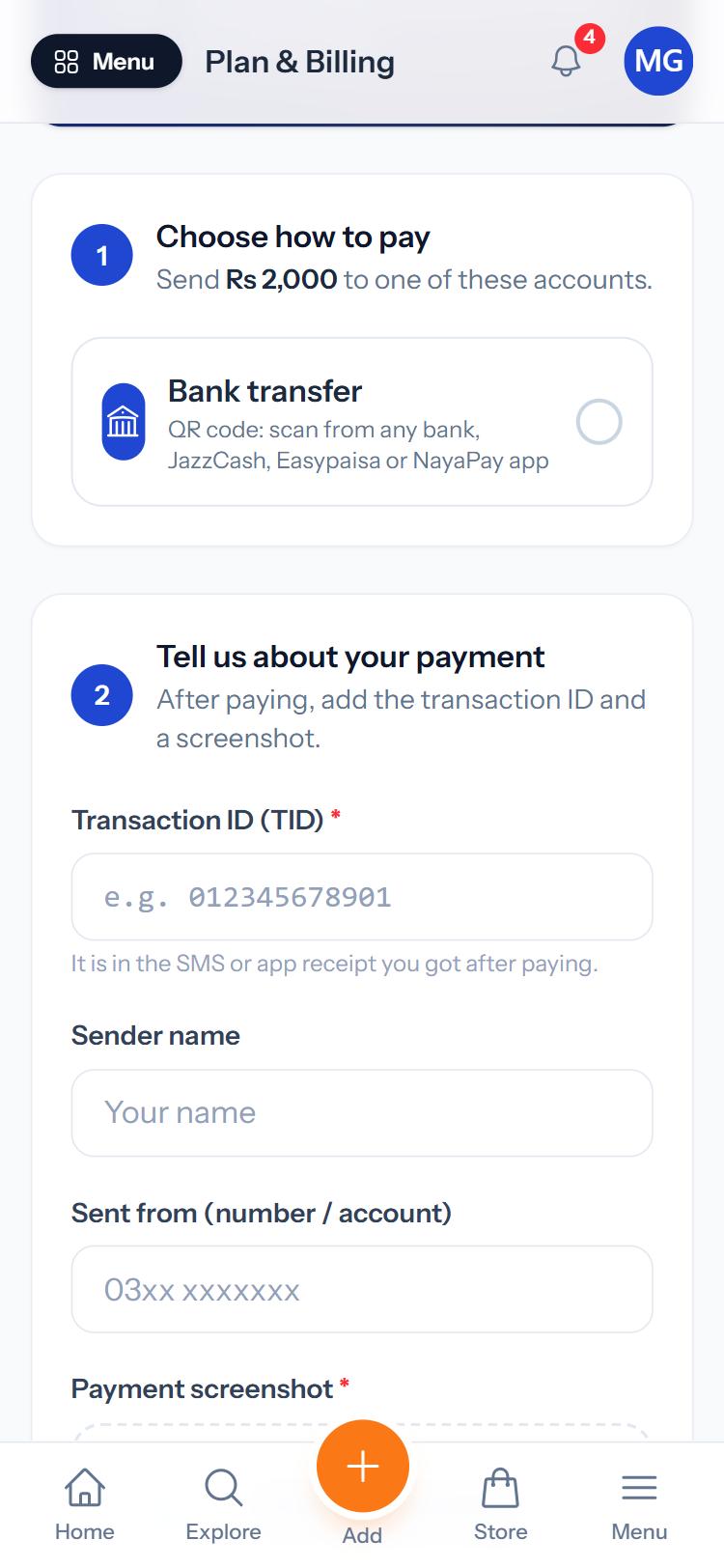
- Under Choose how to pay, tap a method to see the account details. For a bank transfer you can scan the QR code from any bank, JazzCash, Easypaisa or NayaPay app.
- Send the amount shown.
- Under Tell us about your payment, enter the Transaction ID (TID) from your SMS or app receipt, your name, the number or account you sent from, and upload a Payment screenshot.
- Press Send payment details.
Your plan shows Payment under review while we check it. Once confirmed you get a notification and the plan becomes active.
Was this guide helpful?
Your answer helps us make the guides better.
Thanks! Glad it helped.
Sorry about that. Tell us what you need and we will help you directly.
